
This enhanced performance report consolidates your Google Business Profile and Apple Business Connect data into a single, unified view—giving you a clearer picture of how customers discover and engage with your locations. With flexible filtering by account, group, location, and date range, this report enables precise performance analysis, trend identification, and more informed optimization decisions.

Section 1: Action Performance (Graph + Summary Table)
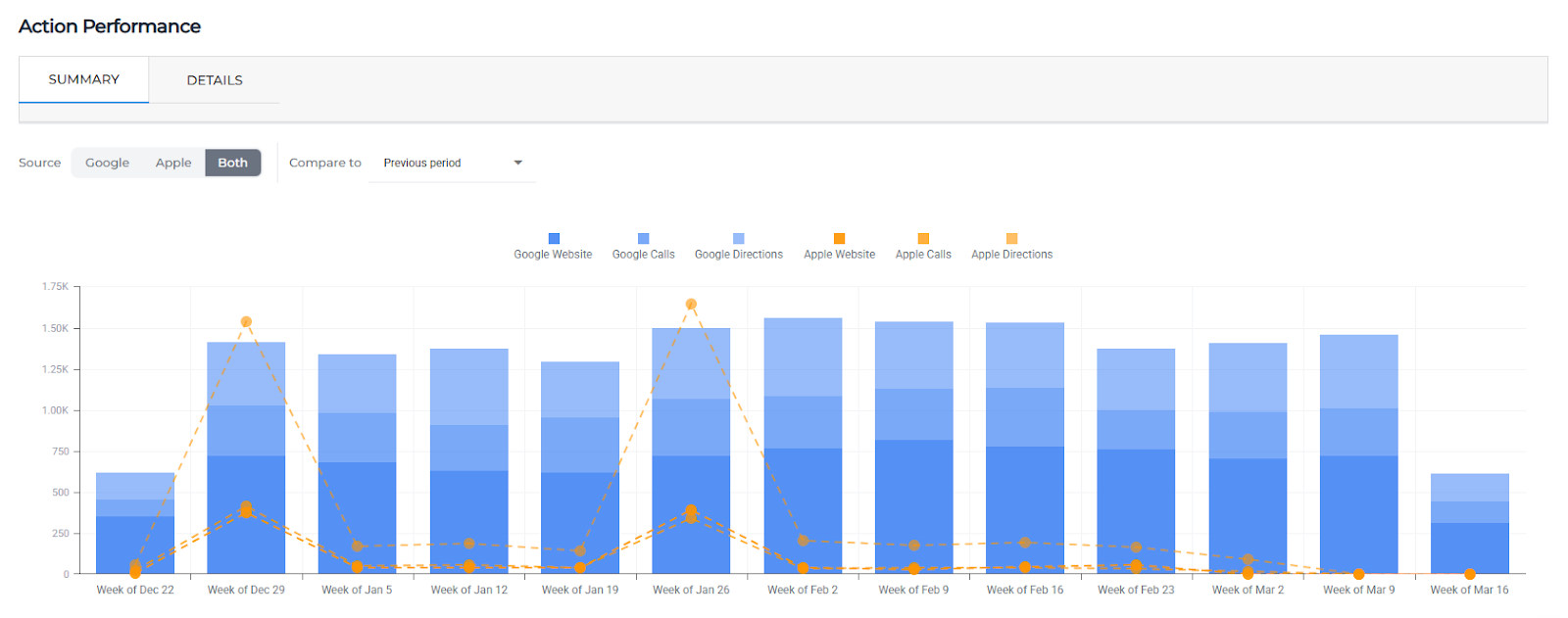
This section highlights customer actions taken on your listings across both Google and Apple platforms. It includes a visual trend graph and a cumulative summary table with period-over-period comparisons.

Metric Definitions
Google Website
The number of times users clicked through to your website from your Google Business Profile.
Google Calls
The number of phone calls initiated directly from your Google Business Profile.
Google Directions
The number of times users requested directions to your business via Google.
Apple Website
The number of times users tapped through to your website from your Apple Business listing.
Apple Calls
The number of calls initiated from your Apple Business listing.
Apple Directions
The number of times users requested directions via Apple Maps.
Apple Share
The number of times users shared your Apple Business listing with others.
Apple Gallery
The number of interactions with your photo gallery on Apple (e.g., users viewing or engaging with images).
Apple Schedule
The number of times users tapped to schedule an appointment or take a booking-related action from your Apple listing.
Cumulative Totals
The total number of actions for each metric within the selected date range.
Section 2: Action Performance by Location (Table)
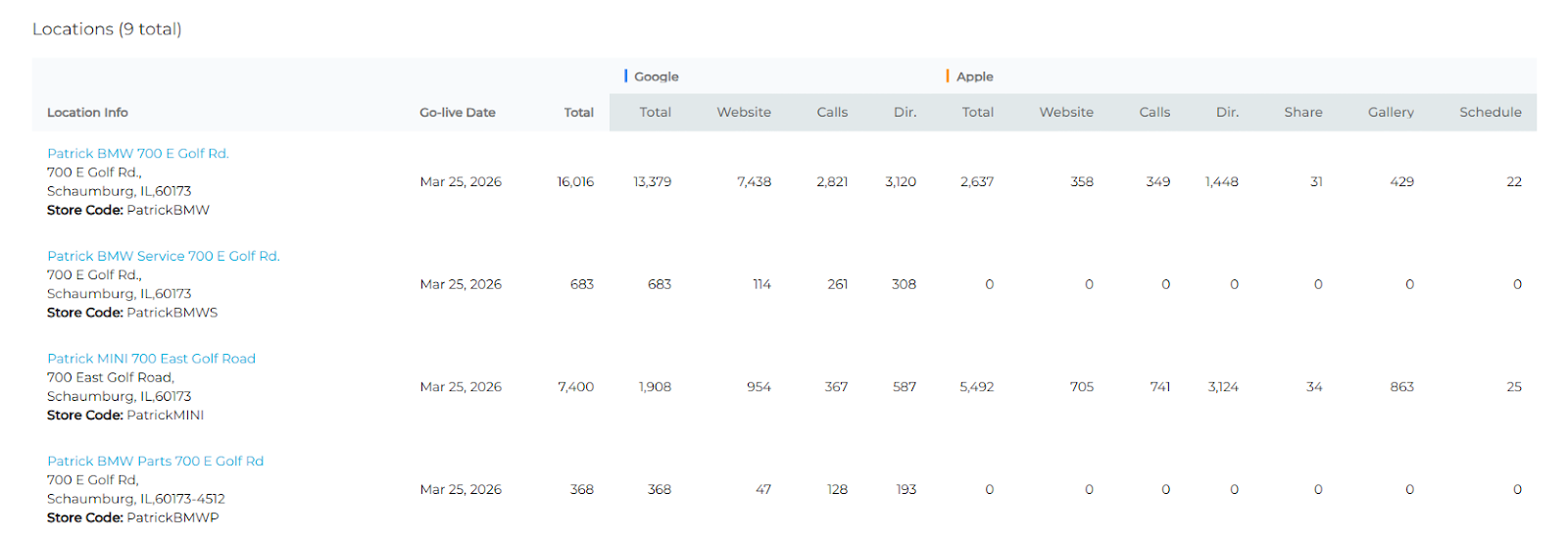
This section provides a location-level breakdown of the same action metrics, allowing you to evaluate performance across individual locations.
Metric Definitions
All metrics listed above (Google Website, Google Calls, Google Directions, Apple Website, Apple Calls, Apple Directions, Apple Share, Apple Gallery, Apple Schedule) follow the same definitions as in Section 1, but are segmented per location.
Total
The sum of all tracked action metrics for a given location, representing total customer engagement actions taken.
Section 3: Impression Performance (Graph + Summary Table)
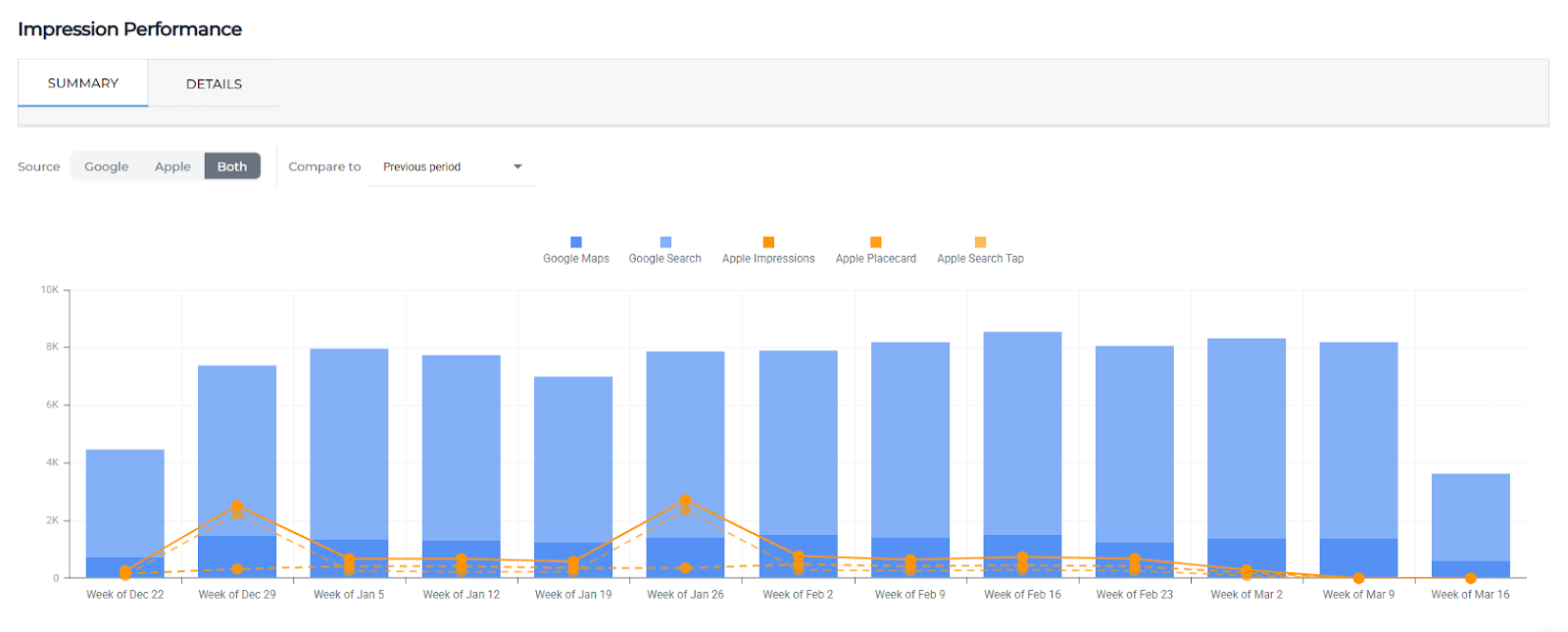
This section focuses on visibility metrics, showing how often your listings are viewed across Google and Apple platforms. It includes a trend graph and a detailed breakdown by device and surface.

Metric Definitions
Google Maps (Graph)
Total impressions of your business listing on Google Maps (combined desktop and mobile).
Google Search (Graph)
Total impressions of your business listing in Google Search results (combined desktop and mobile).
Apple Impressions (Graph)
Total number of times your business listing was viewed across Apple platforms.
Apple Placecard
The number of times users viewed your detailed Apple business listing (placecard), which includes key business information like address, hours, photos, and actions.
Apple Search Tap
The number of times users tapped on your listing after seeing it in Apple Maps search results.
Table-Specific Breakdown
Google Maps – Desktop
Impressions of your listing on Google Maps via desktop devices.
Google Maps – Mobile
Impressions of your listing on Google Maps via mobile devices.
Google Search – Desktop
Impressions of your listing in Google Search results on desktop devices.
Google Search – Mobile
Impressions of your listing in Google Search results on mobile devices.
Apple Placecard
Same as above; total placecard views.
Apple Search Tap
Same as above; total taps from search results.
Section 4: Impression Performance by Location (Table)
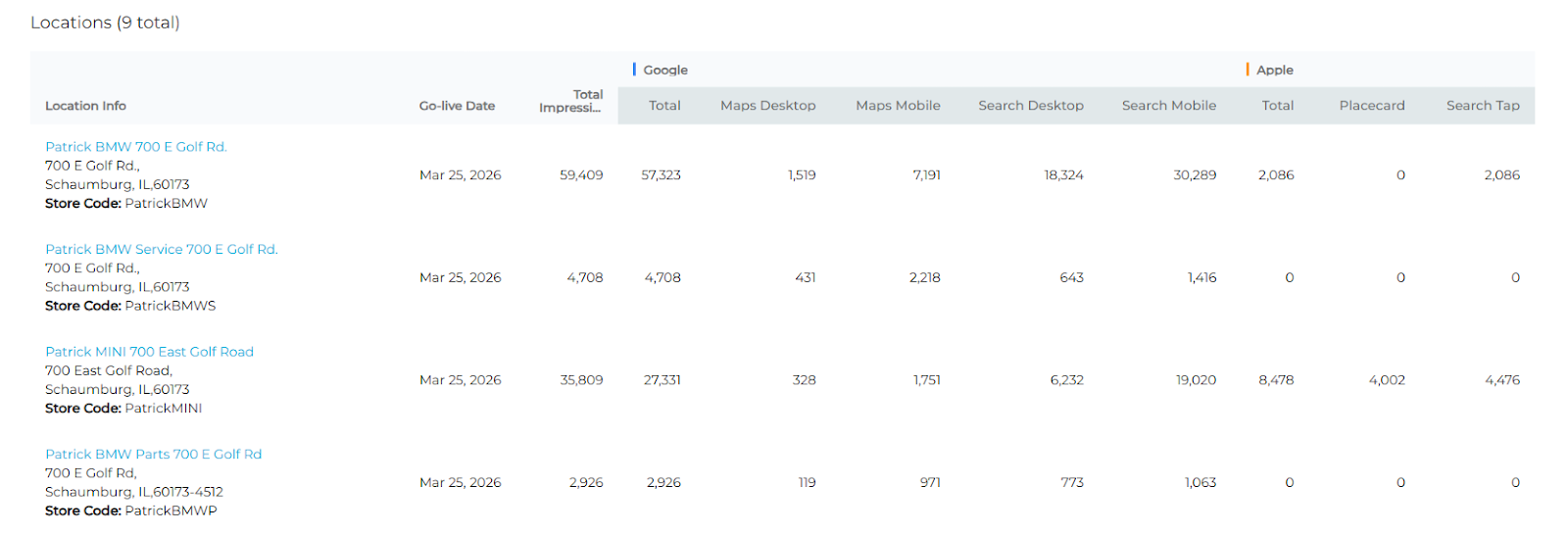
This section breaks down impression data at the individual location level, helping you understand visibility performance across your footprint.
Metric Definitions
All metrics listed in Section 3 (Google Maps – Desktop, Google Maps – Mobile, Google Search – Desktop, Google Search – Mobile, Apple Placecard, Apple Search Tap) follow the same definitions, but are segmented per location.
Total Impressions
The combined total of all impression metrics for a given location, representing overall visibility across Google and Apple platforms.