
Overview of the Nesting Departments Tool
For businesses with multiple related services, such as sales, parts, and service, making it easy for customers to find all relevant locations is key. The Nesting Departments Tool in dbaPlatform allows you to link one Google Business Profile (GBP) inside another, creating a clear hierarchy of parent and child listings.
When departments are nested, customers who find the parent GBP on Google will also see the child GBP(s) listed within it. They can click directly on a nested listing to view its details, driving more visibility for all departments and improving customer navigation.
This feature is ideal for multi-service locations such as auto dealerships, campgrounds, hospitals, universities, and large retail centers.
Key Features of the Nesting Departments Tool
The Nesting Departments Tool makes it simple to connect related GBPs, ensuring customers can discover all relevant services without leaving Google’s search experience.
Section 1: Nesting Departments Summary
The tool interface provides a high-level overview of parent and child relationships between your GBPs. This section includes:
-
Current Associations: A list of GBPs and their nested departments.
-
Parent/Child View: Clear labeling of which listing is the primary (parent) and which is the nested (child).
-
Search & Link Functionality: A dropdown search tool to quickly find and select the GBP you want to associate.
By providing a summarized view of all nested relationships, this section helps you manage complex business structures at a glance.
Section 2: Creating a Nested Relationship
Process Summary:
-
Select a GBP: Choose the listing you want to edit.
-
Open the Nesting Menu: Access the dropdown to search for other GBPs in your account.
-
Find the Associated GBP: Search for the location you want to link.
-
Set Relationship Type: Designate the listing as either a Parent or Child. The Parent GBP is the main listing (Sales, Campground, Mall, etc.). The Child GBP is the nested GBP (Parts, General store, ATM, etc.).
-
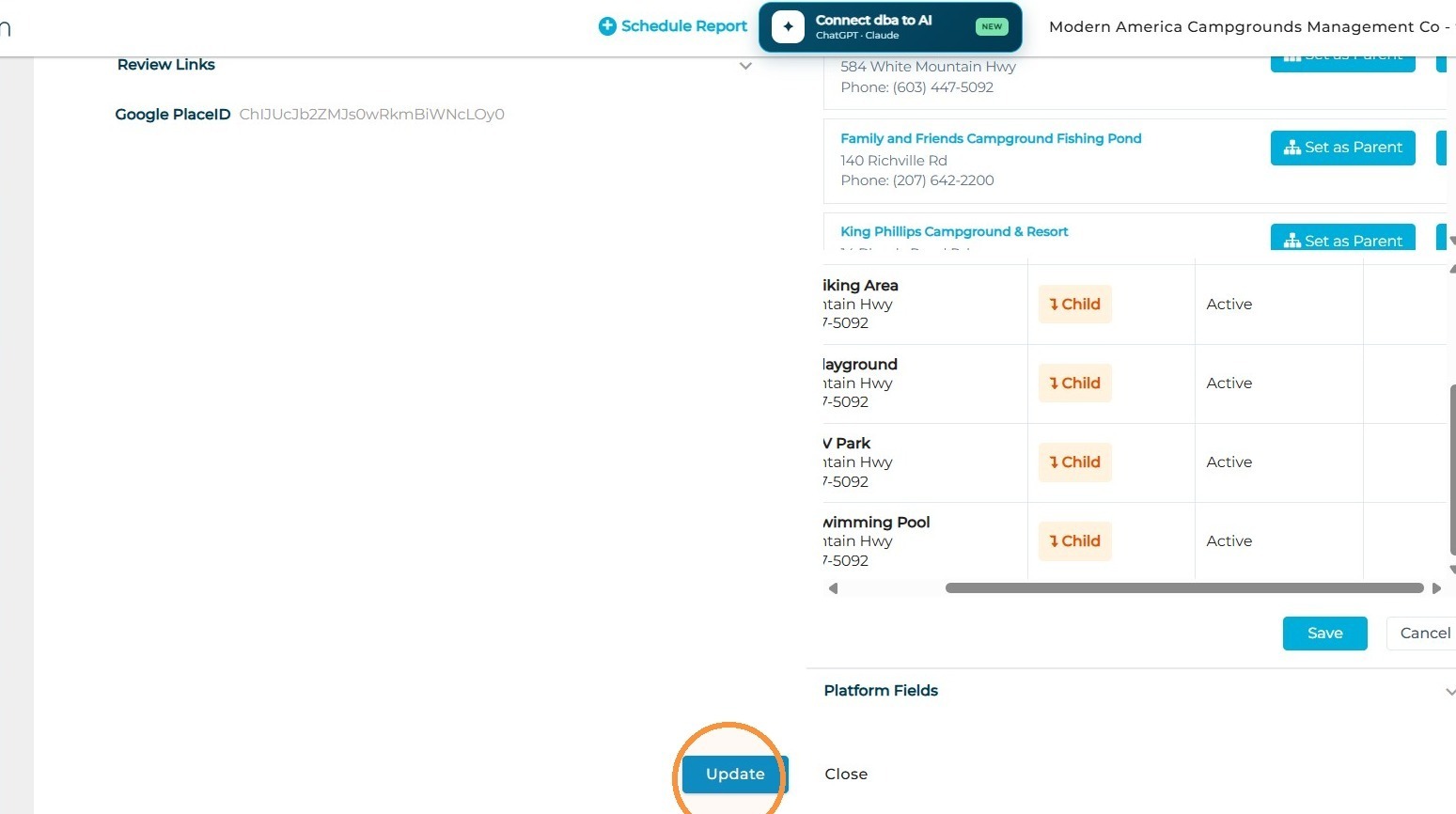
Save Changes: Save the relationship and select the "Update" button, so it appears on Google.
Detailed Process:
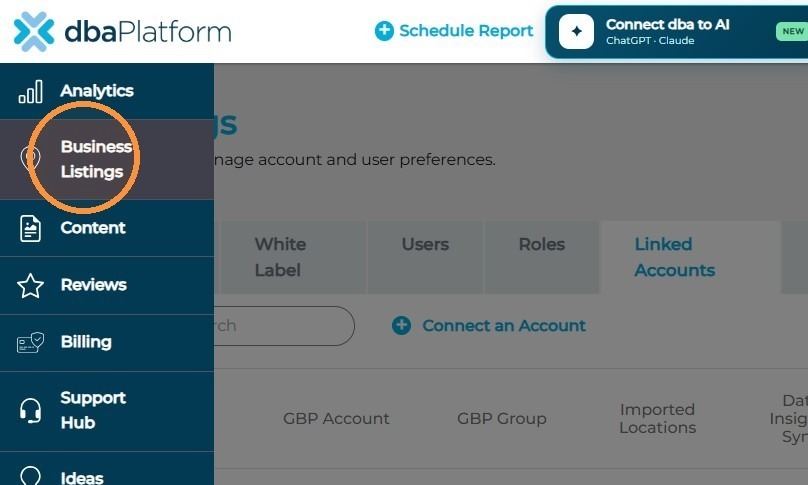
- Select the Business Listings tab
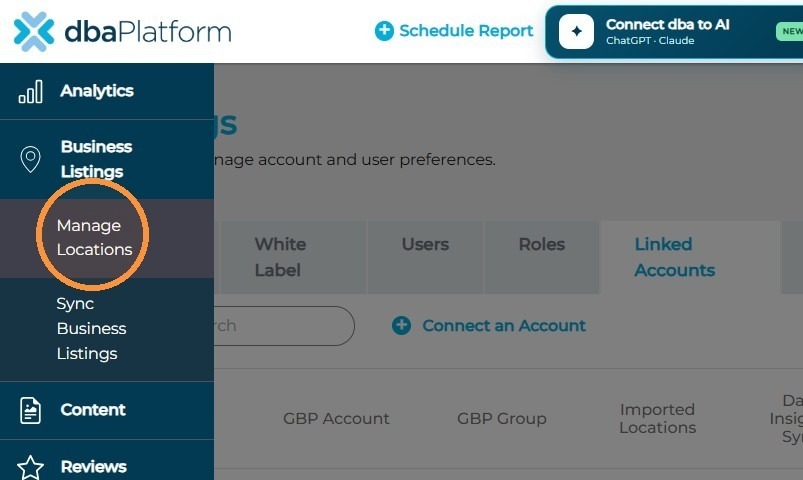
- Continue to Manage Locations
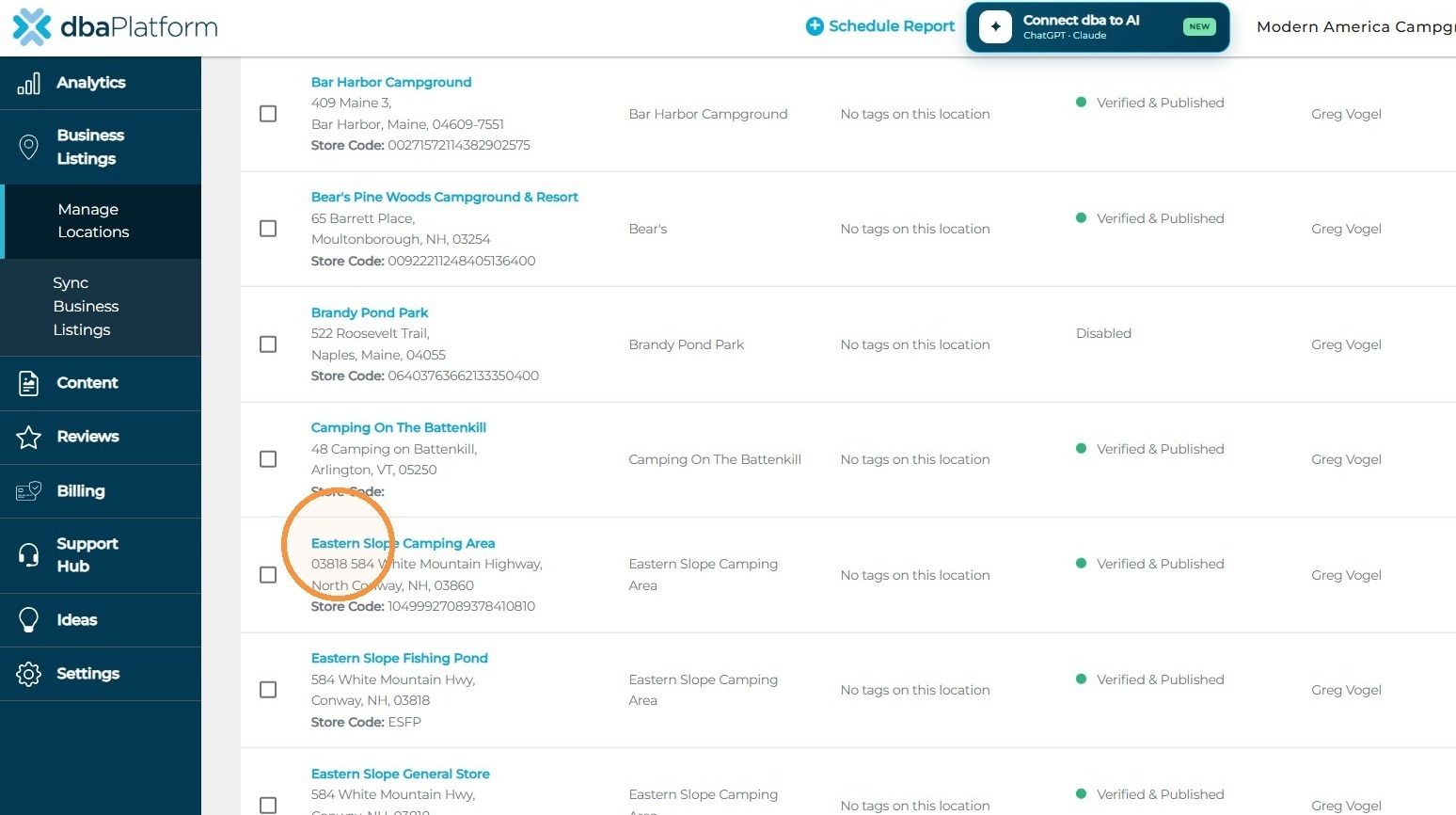
- Find the GBP you would like to add a connection to (this can either be the Parent or Child GBP)
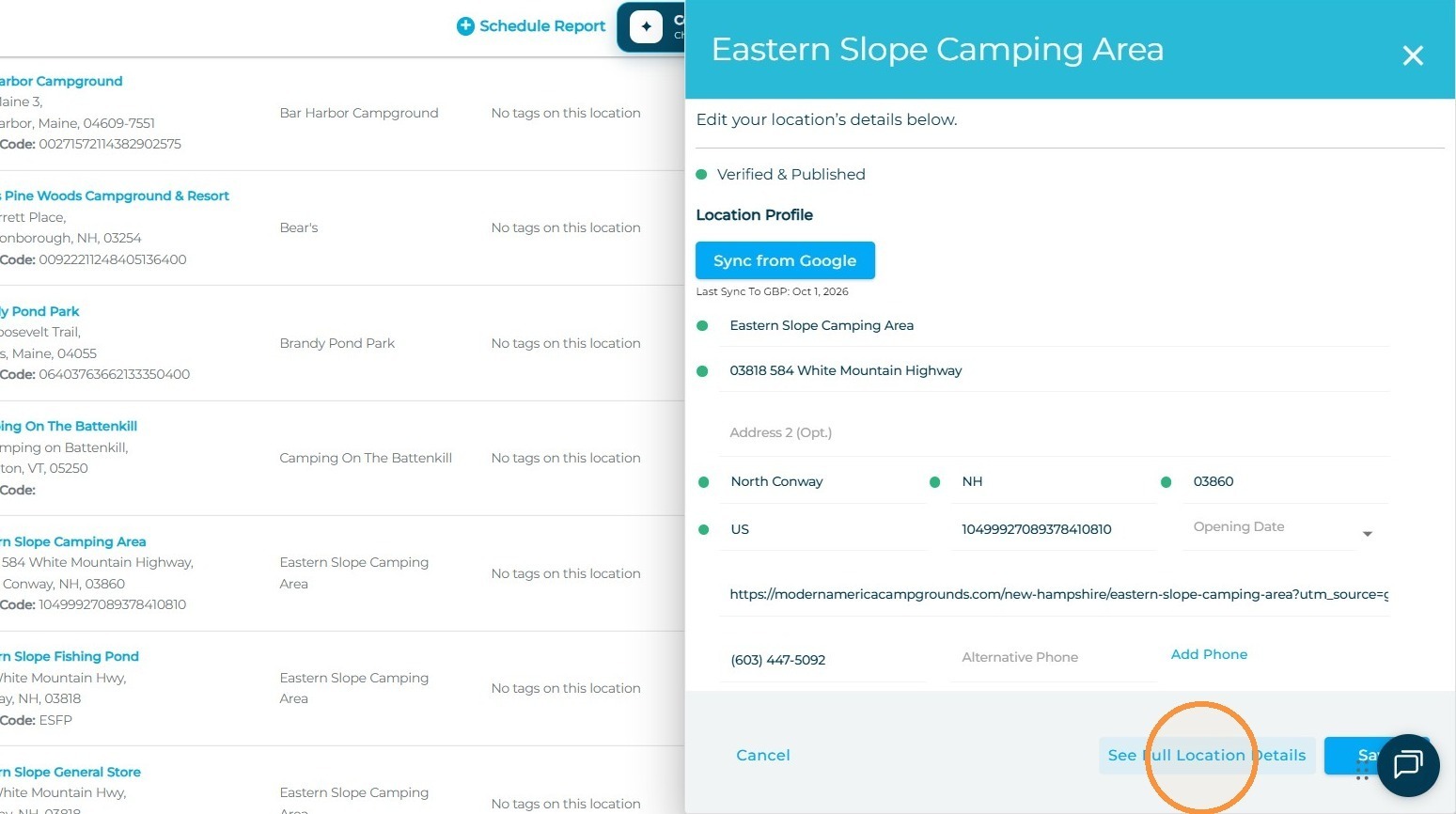
- Continue to Full Location Details
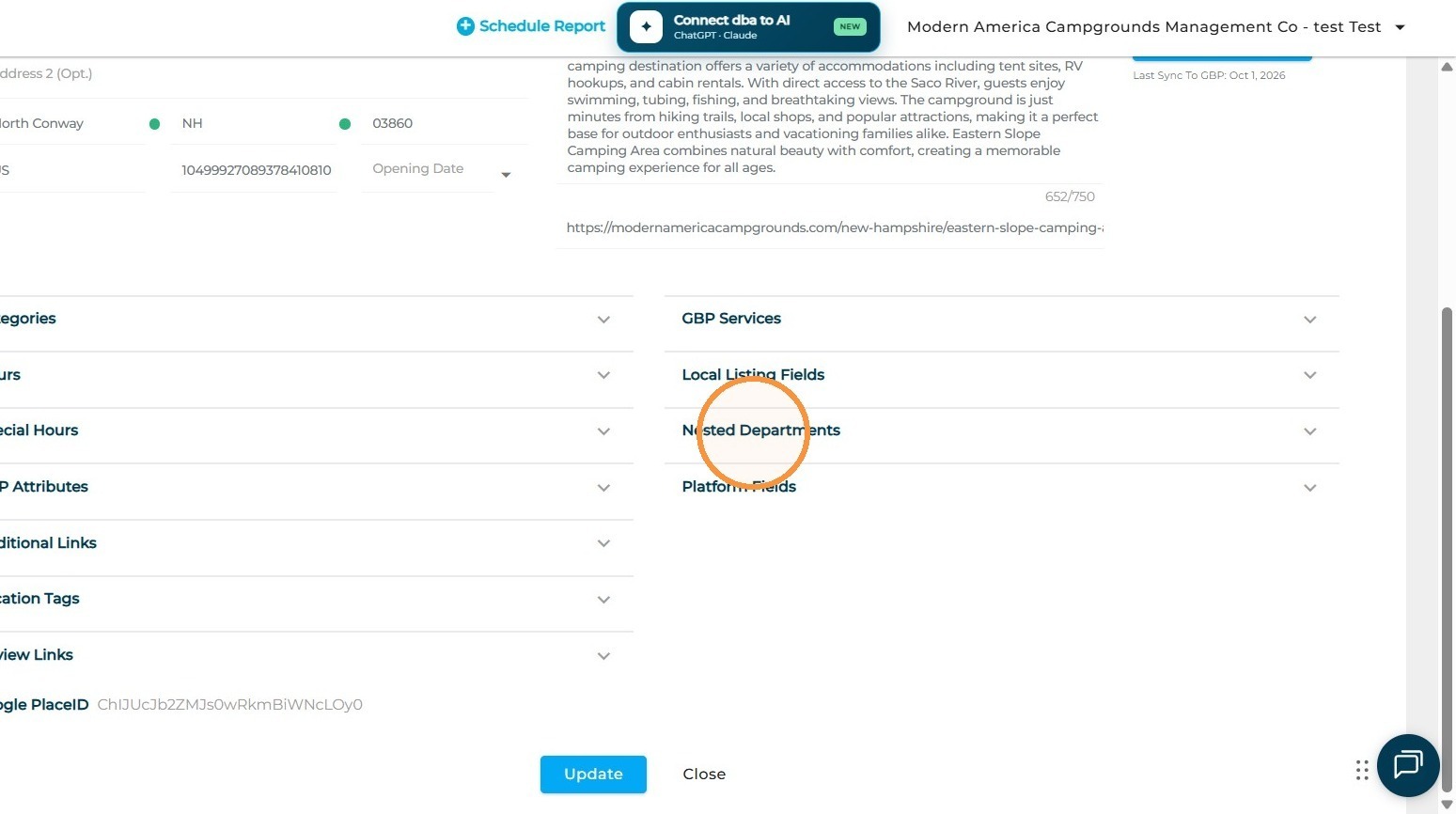
- Select the Nested Departments dropdown
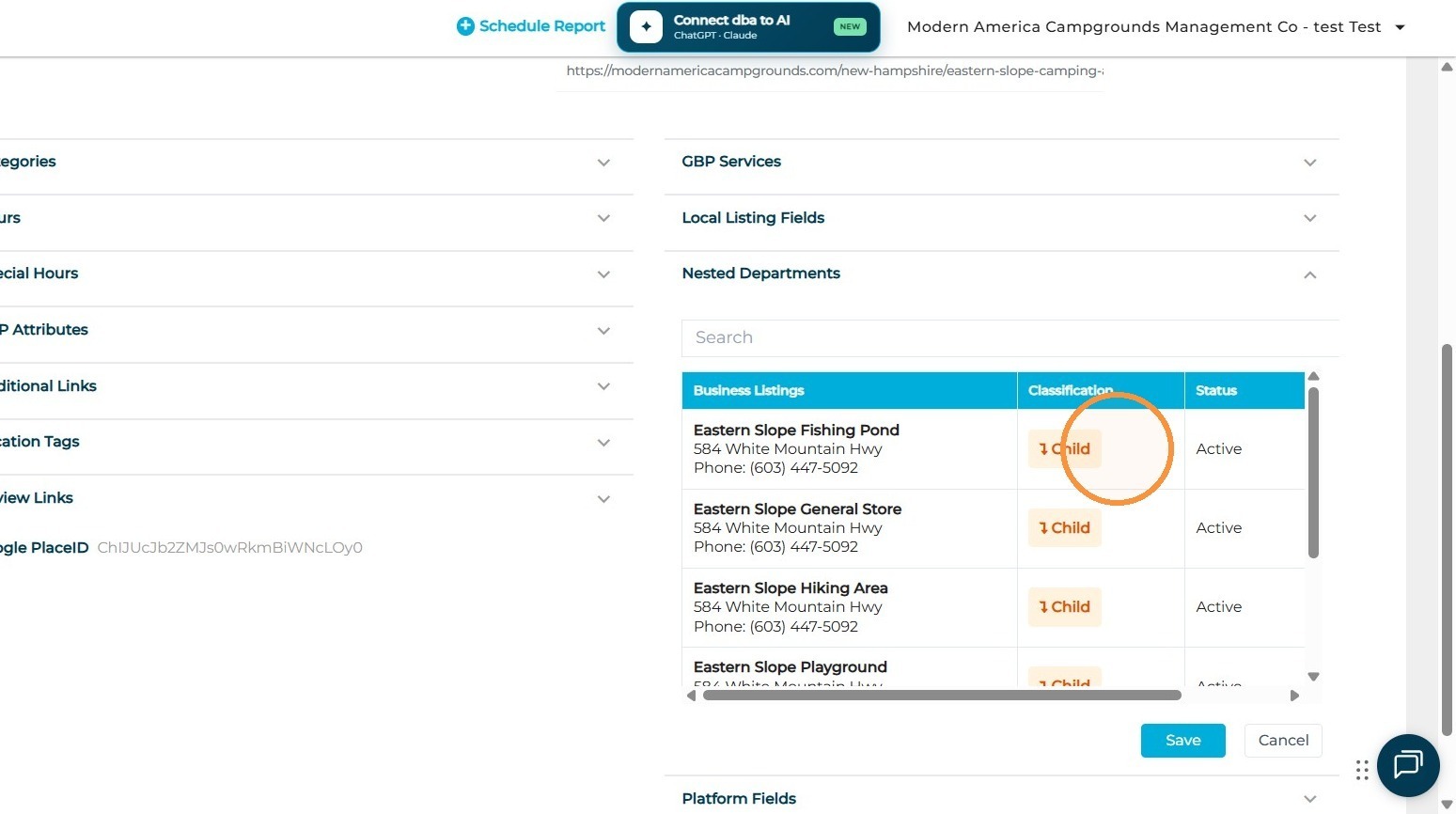
- The dashboard will then display all current connections
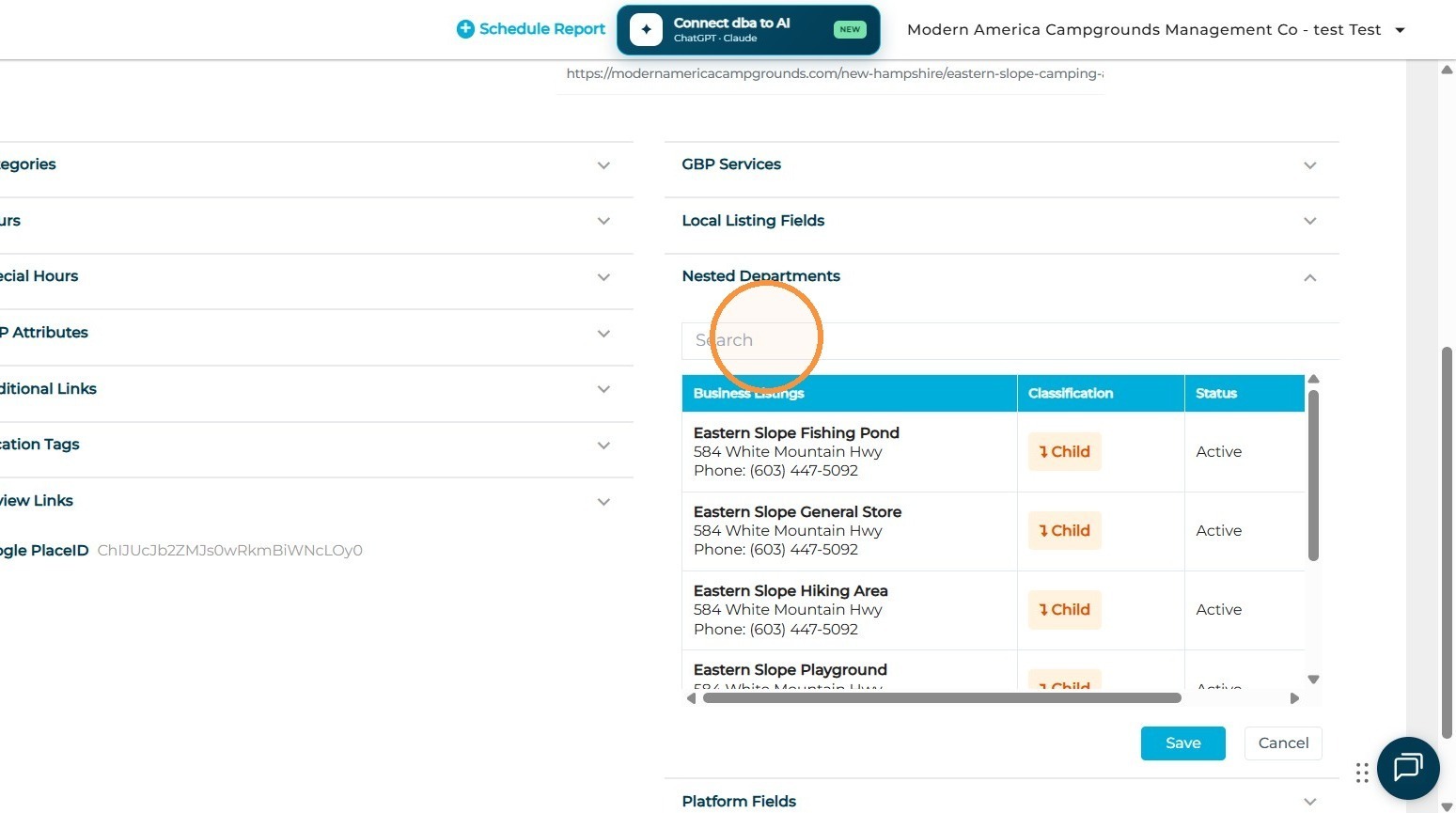
- Search for the GBP you would like to make a connection to
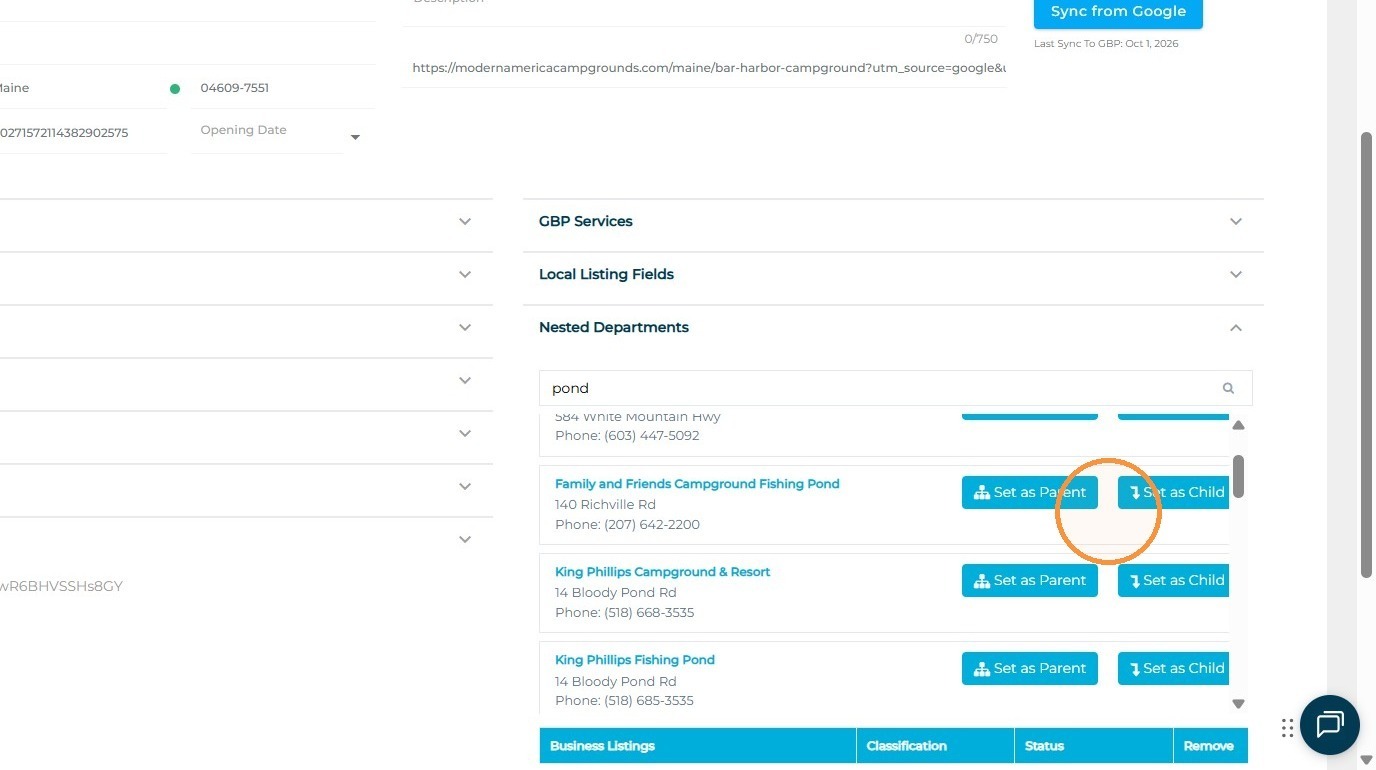
- Once found, select if this found GBP is the Parent (main GBP) or the Child (department GBP)
- Once finalized, ensure that you select the Update button at the bottom of the page, so that this update is pushed to Google, and you are done!
Section 3: Benefits of Nesting for Customers and Businesses
Why nesting matters and how it enhances customer experience:
-
Improved Navigation: Customers can easily see all related departments in one place.
-
Cross-Promotion: Increases exposure for all services by linking them together.
-
Better Search Relevance: Related services appear under one location, reducing customer confusion.
-
Service-Specific Traffic: Customers can jump directly to the department they need, increasing engagement and conversion.
Summary of Benefits
The Nesting Departments Tool is an essential feature for businesses with multiple service lines or specialized departments. Key benefits include:
-
Centralized Listing Management: Easily connect related GBPs within your account.
-
Enhanced Customer Discovery: Ensure all departments are visible directly from the main business listing.
-
Optimized Google Experience: Take advantage of GBP’s built-in department structure for higher engagement.
-
Cross-Selling Opportunities: Drive traffic between related services.
-
Streamlined Updates: Manage department relationships without manual intervention on Google.
By leveraging the Nesting Departments Tool, businesses can create a unified and detailed presence on Google, helping customers find the right department faster while increasing visibility for every part of the organization.